Auto Focus 1080p Projector: 5GHz WiFi, Bluetooth, 150″
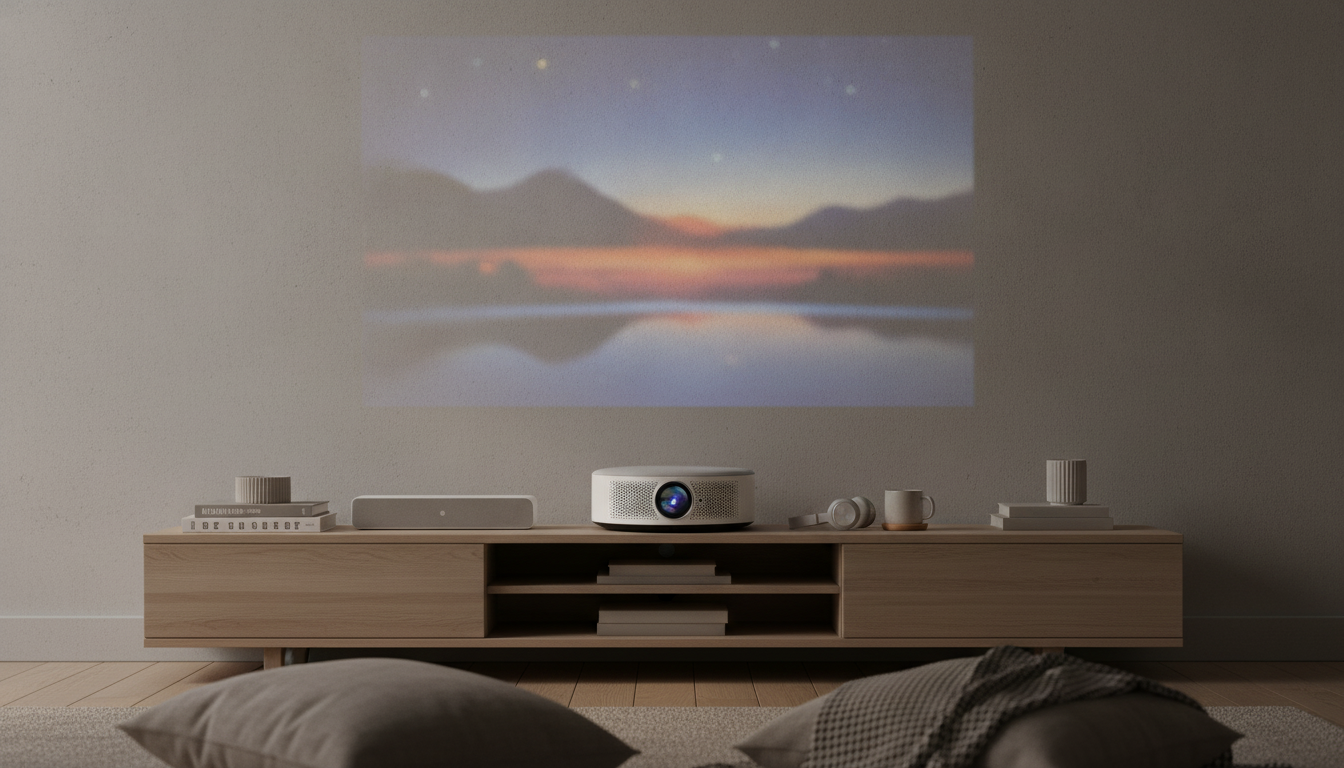
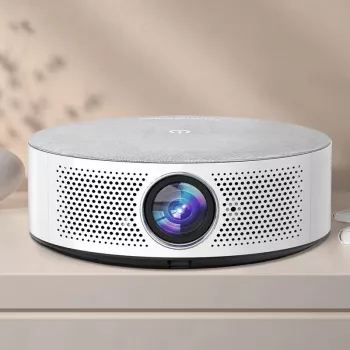
Auto Focus Full HD Projector with 5G WiFi, Bluetooth, and 150″ Display Support
A living-room movie night, backyard screening, or big-game watch party gets easier when the picture snaps into focus fast and streaming works without extra boxes. This projector pairs auto focus and Full HD clarity with 5G WiFi and Bluetooth for quick setup, flexible audio, and a large-screen experience up to 150 inches.
If the goal is a bigger image than a TV can reasonably fit—without turning setup into a weekend project—this model focuses on the everyday wins: faster dial-in, cleaner detail, and simpler connections for streaming and sound.
What makes this projector stand out
- Auto focus helps deliver a sharp picture quickly after placement changes.
- Full HD output for clear movies, sports, and presentations.
- 5G WiFi support for smoother wireless streaming and screen casting on compatible networks.
- Bluetooth support for pairing with speakers, soundbars, or headphones.
- Up to 150″ display support for a true big-screen feel in smaller spaces.
Quick specs and feature overview
This projector is a practical fit for budget-friendly home theater, dorm rooms, casual gaming, and presentations that move from room to room. The mix of auto focus plus wireless options is designed to reduce friction: fewer manual adjustments, fewer cables, and a quicker path to “press play.”
| Feature | What it means for everyday use |
|---|---|
| Auto focus | Faster setup and fewer interruptions when the projector shifts or gets repositioned |
| Full HD | Sharper text and cleaner detail for movies, shows, and slides |
| 5G WiFi | More responsive streaming and casting on compatible 5 GHz networks |
| Bluetooth | Simple pairing with external audio like speakers or soundbars |
| 150″ display support | Large, immersive image when room size and lighting allow |
For planning image size and placement, it helps to understand throw distance. Tools like Projector Central’s calculator can help estimate what screen size fits your room: Projector throw distance basics (calculator and explanations).
Picture quality and focusing experience
Auto focus shines when the projector moves around—coffee table one night, shelf the next, or packed up for a friend’s place. Instead of nudging a focus ring and walking back and forth to check sharpness, auto focus aims to lock clarity faster after you reposition.
Full HD resolution makes a noticeable difference in common viewing: subtitles look cleaner, edges on graphics are less jagged, and sports details (like jerseys and yard lines) stay more defined. Animated content also benefits because solid color areas and outlines can look crisper at higher resolution.
- Use a flat, light-colored surface or a dedicated screen to improve perceived sharpness and uniformity.
- Avoid extreme keystone correction when possible; heavy digital correction can soften the image.
- Control ambient light: darker rooms usually deliver better contrast and richer color.
For movie nights, a small change—closing blinds, dimming lamps behind the seating area, or using a screen—often creates a bigger improvement than chasing tiny setting tweaks.
Wireless streaming, casting, and audio pairing
With 5G WiFi (meaning 5 GHz WiFi, not cellular), the projector can take advantage of the 5 GHz band on compatible routers. In many homes, that band is less congested than 2.4 GHz, which can translate to steadier playback and smoother casting—especially when multiple devices are online.
Bluetooth adds flexibility on the audio side. Pair a soundbar for fuller dialogue and punchier effects, place a speaker closer to the seating area, or connect headphones for late-night viewing without waking the house. For a deeper technical reference on Bluetooth standards and profiles, see: Bluetooth core specification overview.
- For stable casting, keep the projector and your phone/laptop on the same network and reduce the distance to the router.
- If audio/video sync feels off, lower wireless traffic (pause large downloads) or switch to a direct connection when available.
- For gaming, consider that Bluetooth audio can add a small delay; a wired option can feel more immediate when timing matters.
Placement tips for a clean 150″ setup
A 150-inch image is a big statement, but it’s easiest to enjoy when placement is planned. Start with the viewing position, then place the projector so it naturally aims at the center of the screen area. The more centered and level it is, the less you’ll need keystone correction and the more uniform the picture will look.
Who it’s a good fit for
What to check before buying
Shop in-stock picks
- Creative 6-Piece Bathroom Accessories Set
- 3 Smart & Simple Ways Millennials Can Start Investing Today | MRR Guide
FAQ
Does auto focus work if the projector is slightly off-center?
Auto focus can sharpen the image, but it won’t fully fix the geometric distortion that comes from projecting at an angle. For the cleanest picture, center the projector with the screen area and use minimal keystone correction.
Can Bluetooth connect to a soundbar or headphones?
In most cases, yes—Bluetooth is commonly used to pair with soundbars, speakers, and headphones, though compatibility can vary by device model. Put the audio device in pairing mode, then select it from the projector’s Bluetooth list; for gaming, keep in mind Bluetooth audio can introduce slight latency.
Is 5G WiFi required to use the projector?
No. “5G WiFi” refers to 5 GHz WiFi capability (not cellular), and it’s mainly there to improve wireless performance on compatible routers. The projector can still be used through other supported connection options depending on your setup.











Leave a comment