8K Wireless Ergonomic Gaming Mouse: 26K DPI + RGB Dock
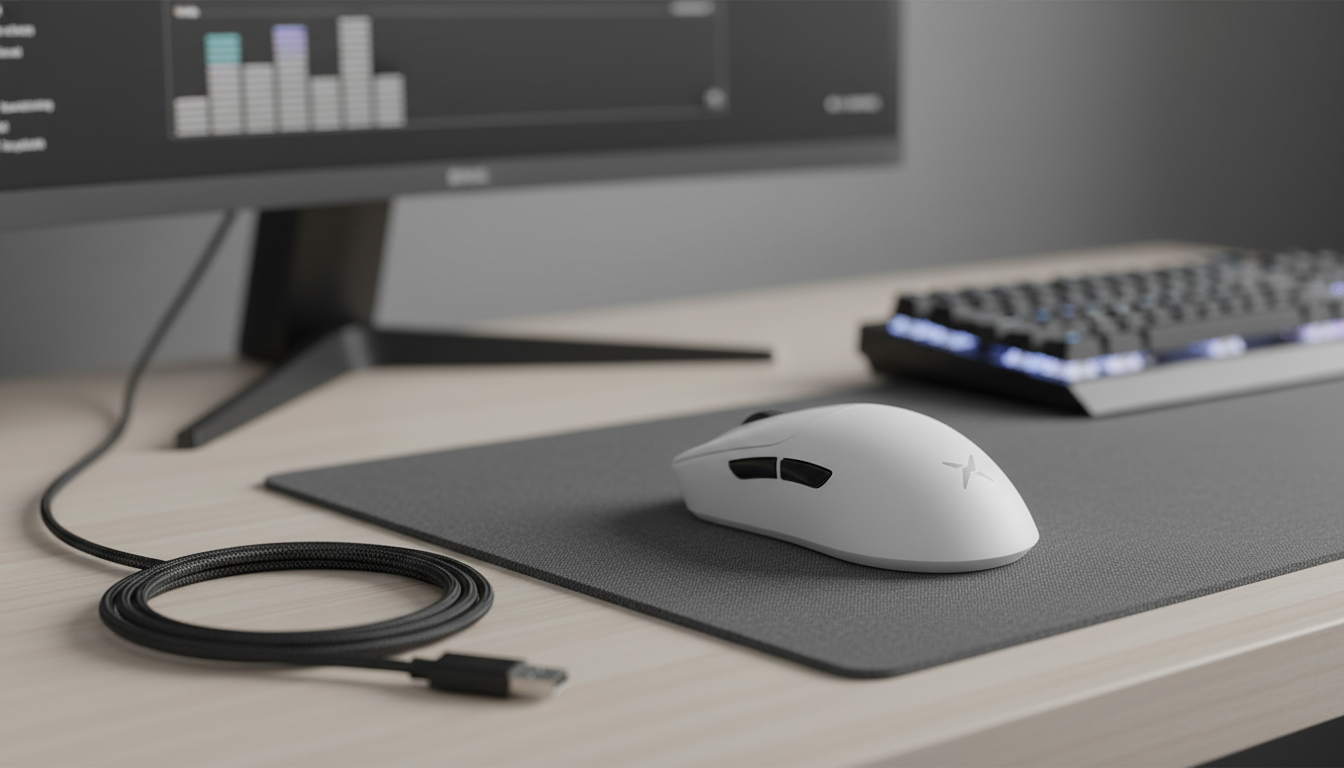
Wireless comfort meets competitive-grade responsiveness
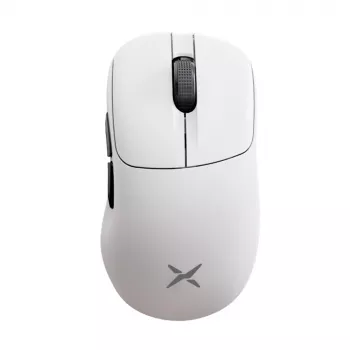
Fast response, comfortable shaping, and a sensor built for precise tracking can make long sessions feel smoother and more controlled. The Wireless Ergonomic Gaming Mouse with 8K Polling, RGB Dock, 26000 DPI Sensor pairs a right-hand ergonomic shell with ultra-high polling, a 26,000 DPI-class sensor, and an RGB charging dock designed to keep the setup tidy and ready to play. The result is a mouse that targets two common pain points at once: fatigue during long use and “soft” or inconsistent-feeling input when pace ramps up.
What stands out at a glance
- Ergonomic contouring aimed at reducing wrist tension during long matches and work sessions
- Up to 8K polling for tighter input reporting on compatible setups
- High-resolution sensor (up to 26,000 DPI) for fast flicks and fine micro-adjustments
- RGB charging dock that doubles as a display/parking spot between sessions
- Wireless freedom for cleaner desk space while keeping latency-focused features in view
Ergonomics and grip comfort
An ergonomic mouse lives or dies by how naturally it “disappears” in the hand. A right-hand sculpt typically supports palm and relaxed claw grips by filling the palm area, providing a steadier platform for tracking, and giving the thumb a consistent channel for lateral control. That can matter in shooters where repeated micro-corrections can cause a pinch between the thumb and index finger on smaller, flatter shapes.
Fingertip users can still enjoy an ergonomic shell as long as the mouse length and rear hump don’t force unwanted contact. The best ergonomic fit tends to show up in two places: less wrist extension while tracking and reduced grip tension when lifting or repositioning. A practical approach is to set sensitivity so the wrist stays neutral and let the forearm handle larger sweeps—especially on a stable mousepad surface—so aim and cursor control stay repeatable from hour one to hour four.
8K polling: what it changes in play
Polling rate is how often the mouse reports its position to your PC. Higher polling can reduce the time between updates, which can tighten the “cadence” of input—particularly noticeable on high-refresh monitors where the screen is ready to show small changes more frequently. With 8K polling, fast camera pans and rapid micro-corrections can feel more immediate, and tiny adjustments may look cleaner on screen when the rest of the system is keeping up.
To see real gains, it helps to pair high polling with a high refresh-rate display and stable frame rates. If the system is already struggling (or a specific game engine behaves oddly), dropping to 4K, 2K, or 1K is a normal compatibility step rather than a downgrade. The goal is sustained smoothness, not a maximum setting that causes USB hiccups. For background on USB standards and device behavior, the official USB-IF resources at usb.org are a helpful reference point.
26000 DPI sensor: precision without the chaos
A 26,000 DPI-class sensor isn’t an invitation to play at an extreme sensitivity; it’s more about headroom and stability. High maximum DPI often correlates with strong signal processing and tracking capability, which can make the cursor or crosshair feel consistent across a wide range of speeds. Many competitive shooter players settle somewhere around 400–3200 DPI with in-game sensitivity tuned to preference, building muscle memory around repeatable distances.
Outside of gaming, higher DPI steps can also help on multi-monitor setups by reducing repeated swipes when moving between displays. For creative tasks—drag-selecting, timeline scrubbing, or precise clicking—predictable tracking and consistent lift-off behavior can make the mouse feel more controlled. The common theme is not “faster,” but “cleaner,” especially when paired with a quality mousepad that doesn’t introduce texture-related jitter.
Wireless connection and latency expectations
For gaming, a dedicated 2.4 GHz wireless mode typically provides the most responsive feel compared to general-purpose Bluetooth, which prioritizes power efficiency and broad device compatibility. Bluetooth can be great for travel or casual use, but latency-sensitive play usually benefits from a purpose-built receiver and stable radio conditions.
Receiver placement matters more than many people expect. Keeping the receiver close—on the front of a desktop PC or via a short extension—helps minimize interference from metal cases, crowded USB hubs, and surrounding 2.4 GHz traffic. If tracking ever feels “floaty,” the quickest checks are battery level, receiver distance, and whether the receiver is sitting near USB 3.0 ports or cables (which can introduce noise). Bluetooth basics and interoperability info are available from the Bluetooth SIG.
RGB dock: charging convenience and desk hygiene
Recommended settings for different genres
Key specs and buying checklist
| Item | Details |
|---|---|
| Product | Wireless Ergonomic Gaming Mouse with 8K Polling, RGB Dock, 26000 DPI Sensor |
| Polling rate | Up to 8K |
| Sensor sensitivity | Up to 26,000 DPI |
| Charging | RGB charging dock |
| Availability | In stock |
Care, troubleshooting, and setup tips
More in-stock picks
- Wireless Ergonomic Gaming Mouse with 8K Polling, RGB Dock, 26000 DPI Sensor
- Creative 6-Piece Bathroom Accessories Set
FAQ
Is 8K polling always better than 1000 Hz?
Not always. 8K can feel more responsive on high-refresh setups with stable performance, but if a game or system becomes unstable, 4K/2K/1K may provide a smoother, more consistent experience.
What DPI should be used for competitive shooters?
A practical starting point is 400–1600 DPI, then adjust in-game sensitivity to match comfortable arm movement and consistent muscle memory. The “best” DPI is the one that stays repeatable under pressure, not the maximum value.
Why does a wireless mouse sometimes stutter or lag?
Common causes include low battery, the receiver being too far away, interference from nearby 2.4 GHz devices, or noise from crowded USB setups. Moving the receiver closer and lowering polling rate are often quick fixes.













Leave a comment